
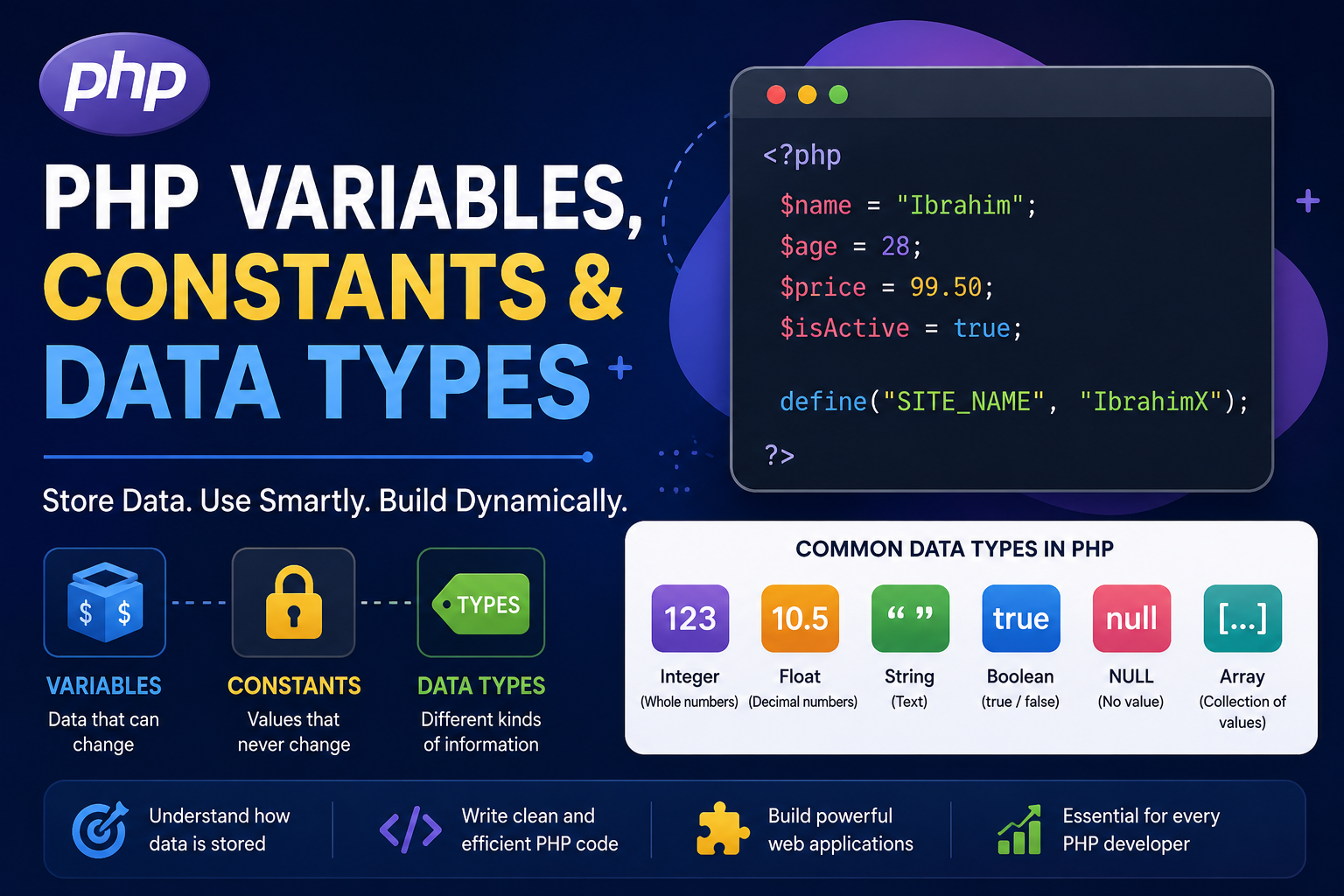
Imagine you are building a shopping website.
You need to store:
- Customer Name
- Product Price
- Total Quantity
- Login Status
- Order Number
How does PHP remember all of this information?
It uses Variables.
Sometimes we also need information that never changes.
For example:
- Website Name
- Company Name
- VAT Rate
- PI Value
PHP stores those using Constants.
Finally, PHP needs to understand what kind of information it is storing.
For example:
Johnis text.
100is a number.
trueis a Boolean value.
These are called Data Types.
By the end of this lesson you will understand all three.
Table of Contents
What is a Variable?
A variable is a named container used to store data.
Think of it as a labelled box.
Example:
Name Box
------------
Ibrahim
Whenever you need the name, you simply open the box.
Instead of writing
Ibrahim100 times, you store it once inside a variable.
Real Life Example
Imagine your room.
You have boxes labelled:
Books

Clothes

Laptop

Documents
Each box stores different things.
PHP variables work exactly the same way.
Example:
$name

$email

$price

$total
Each variable stores different information.
Variable Syntax
PHP variables always begin with
$Example
$name = "Ibrahim";Let’s understand this.
$nameVariable name.
=Assignment operator.
"Ibrahim"The value.
;End of statement.
Your First Variable
<?php

$name = "Ibrahim";

echo $name;

?>
Output
IbrahimExplanation
Step 1
PHP creates a variable called
$nameStep 2
It stores
Ibrahiminside it.
Step 3
When
echo $name;runs,
PHP prints the stored value.
Variables Can Store Different Data
Text
$name = "Ibrahim";Number
$age = 30;Decimal
$price = 49.99;True/False
$isLoggedIn = true;Array
$colors = ["Red","Blue","Green"];Variable Naming Rules
Good examples
$userName

$productPrice

$totalAmount

$studentAge
Bad examples
$1name

$user-name

$total amount
Rules
A variable:
- Starts with
$ - Must begin with a letter or underscore after
$ - Cannot begin with a number
- Cannot contain spaces
- Cannot contain hyphens
- Is case-sensitive
Variables are Case Sensitive
$name = "Ibrahim";

echo $name;
works.
But
echo $Name;is different.
PHP sees
$nameand
$Nameas different variables.
Always use one naming style consistently, such as camelCase.
Declaring Multiple Variables
$name = "Ibrahim";

$age = 28;

$country = "Germany";

echo $name;
echo "<br>";
echo $age;
echo "<br>";
echo $country;
Output
Ibrahim

28

Germany
Updating Variables
Variables can change.
$score = 10;

echo $score;

$score = 20;

echo $score;
Output
10

20
PHP replaced the old value with the new one.
Variable Variables
PHP even allows variables whose names are stored in another variable.
$name = "language";

$language = "PHP";

echo $$name;
Output
PHPThis feature exists but is rarely needed.
What is a Constant?
A constant is a value that cannot change after it is created.
Example
Website Name
IbrahimX AcademyThis rarely changes.
Instead of using a variable, use a constant.
Creating Constants
PHP provides
define()Example
define("SITE_NAME", "IbrahimX Academy");

echo SITE_NAME;
Output
IbrahimX AcademyNotice there is no dollar sign.
Constants vs Variables
Variable
$name = "Ibrahim";Can change.
Constant
define("SITE_NAME", "IbrahimX");Cannot change.
Why Use Constants?
Perfect for
- Website Name
- Database Version
- VAT Rate
- API Version
- Company Name
- Maximum Upload Size
What are Data Types?
Data Type tells PHP what kind of information is being stored.
PHP supports several data types.
String
Stores text.
$name = "Ibrahim";Output
IbrahimInteger
Whole numbers.
$age = 28;Examples
1

50

100

1000
Float
Decimal numbers.
$price = 299.95;Examples
5.5

10.75

999.99
Boolean
Only two values.
true

false
Example
$isAdmin = true;Useful for
- Login
- Success
- Error
- Permissions
Array
Stores multiple values.
$colors = [

"Red",

"Blue",

"Green"

];
Arrays are covered in detail later.
NULL
Means no value.
$name = null;Object
Objects are created from Classes.
$user = new User();Objects are covered in the OOP section.
Resource
Special data created by PHP.
Example
Database connections.
Checking Data Types
PHP provides
var_dump()Example
$name = "Ibrahim";

var_dump($name);
Output
string(8) "Ibrahim"Another example
$age = 28;

var_dump($age);
Output
int(28)Checking Type Only
gettype()Example
$price = 99.95;

echo gettype($price);
Output
doubleType Casting
Convert one type into another.
Example
$price = "100";

$number = (int)$price;

echo $number;
Output
100Interview Questions
What is a variable?
A named container used to store data.
Why does a variable begin with $?
Because PHP identifies variables using the dollar sign.
What is the difference between Variable and Constant?
A variable can change.
Constant cannot change.
Which function creates a constant?
define()
Which function checks data type?
var_dump()
or
gettype()
Is PHP case-sensitive?
Variable names are.
Which data type stores text?
String.
Which stores decimal numbers?
Float.
Which stores true or false?
Boolean.
What does NULL mean?
No value.
Coding Problems
Problem 1
Create a variable called
$nameStore your name and print it.
Solution
$name = "Ibrahim";

echo $name;
Problem 2
Store your age.
My age is 28Solution
$age = 28;

echo "My age is " . $age;
Problem 3
Create a constant called
COMPANYSolution
define("COMPANY","IbrahimX");

echo COMPANY;
Problem 4
Create variables
Product

Price

Quantity
Display
Laptop

800

2
Problem 5
Find the data type.
$price = 50.25;Solution
var_dump($price);Output
float(50.25)Mini Project
Student Information Card
Create
$name

$age

$country

$course

$email
Display them inside an HTML card.
This project teaches:
- Variables
- Strings
- Integers
- Output
- PHP inside HTML
Best Practices
- Use meaningful variable names like
$productPriceinstead of$x. - Keep variable names consistent using
camelCase. - Use constants for values that never change.
- Avoid unnecessary global variables.
- Check data types with
var_dump()during debugging. - Use descriptive names that make your code self-explanatory.
Common Mistakes
- Forgetting the
$before a variable name. - Using spaces or hyphens in variable names.
- Mixing uppercase and lowercase variable names (
$namevs$Name). - Trying to change a constant after defining it.
- Storing the wrong type of data without understanding type conversion.